The next person needs the context
Knowing your own task is not enough when the plan changes. Practise a clear handover, confirm who owns the next action and notice what has not been acknowledged.
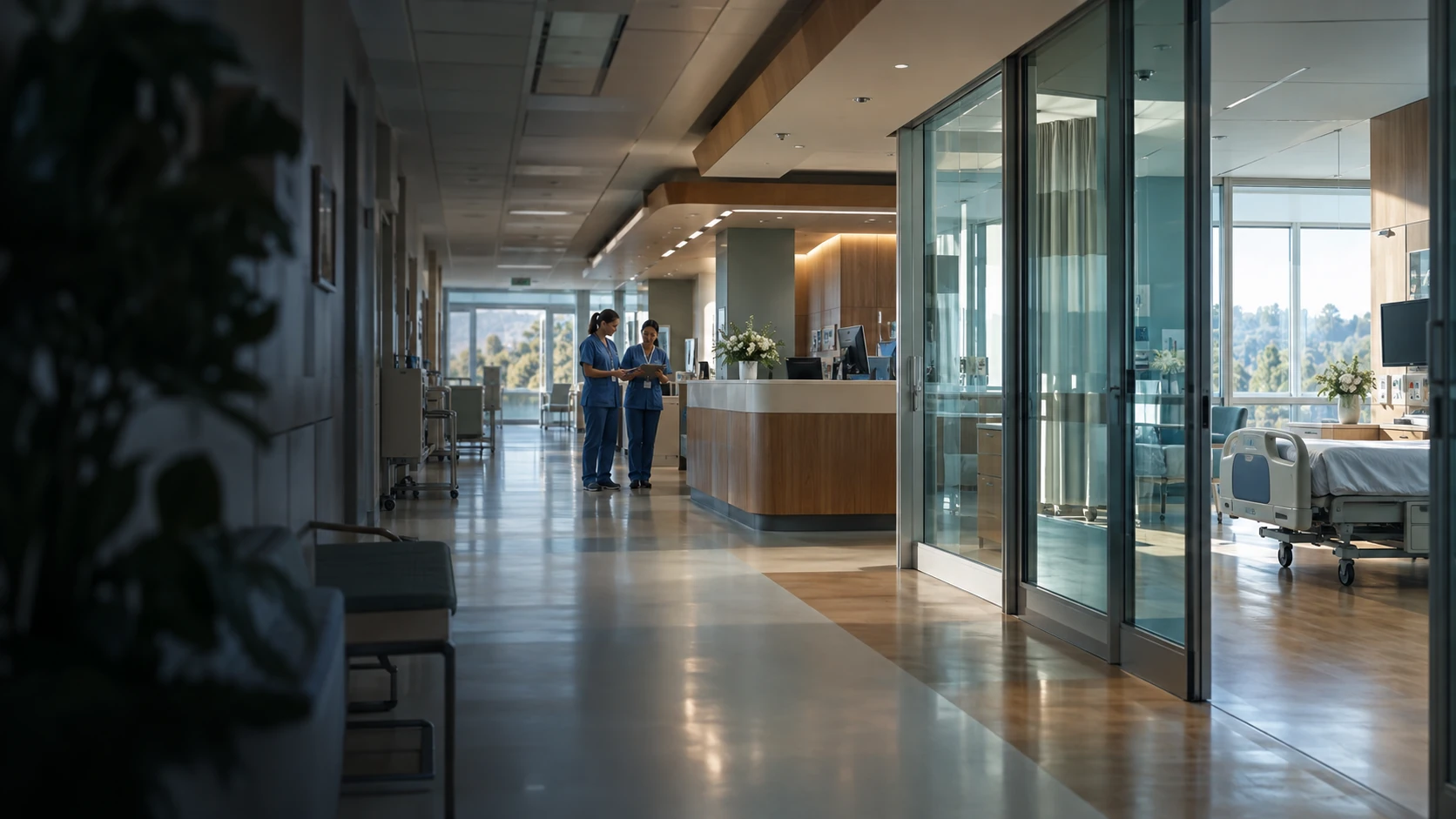
A handover is only useful if the next person knows what to do. Give clinical and support teams a place to practise the decisions between tasks, using scenarios built around your service.
For healthcare providers, education teams and simulation centres
A patient moves from reception to a clinical team, then through tests, transfers and discharge. Every change of owner is another moment when information can be missed. Rehearse those moments together.
Knowing your own task is not enough when the plan changes. Practise a clear handover, confirm who owns the next action and notice what has not been acknowledged.
Reception, portering and environmental services all affect the patient journey. Give those teams practice that reflects their decisions and the questions they hear.
Let staff try a local workflow before they meet it on a busy shift. Educators can use the choices made in the game to focus the next supervised session.
Choose a recurring situation from your service. Players make a decision, see what it changes for another role and try again after a short debrief.
These sources help us choose useful training situations. Your team’s workflow determines the scenario we build.
AHRQ’s TeamSTEPPS programme gives teams practical tools for communication and mutual support. Those tools are useful starting points for a handover or escalation scenario.
AHRQ, TeamSTEPPS 3.0A training framework; no endorsement of these games is implied.CDC core practices call for role-specific training for everyone delivering or supporting care, including contract personnel. The learning needs to fit the work people actually do.
CDC, core infection prevention practicesUS guidance. Scenarios use the provider’s approved local procedures.WHO identifies medication safety at transitions of care as a priority. An evidence puzzle can give teams practice spotting conflicting information and asking what needs to be checked.
WHO, medication safety in transitions of careThe proposed game practises verification and communication, not prescribing.Clinical work and support services depend on each other. Explore a skill to see how a game can make that connection visible.
Give the next person enough context to act.
Rehearse the moments that shape how care feels.
See how one department’s decisions affect the next.
Each game is built around your team’s roles and approved ways of working. Discuss a different skill →
Five live demos cover patient communication, procedural practice, clinic teamwork and laboratory learning. There is also an existing prototype and four ideas for custom games. Open a card to see the learning focus. Demo and prototype images show actual gameplay; concept images show a proposed direction.
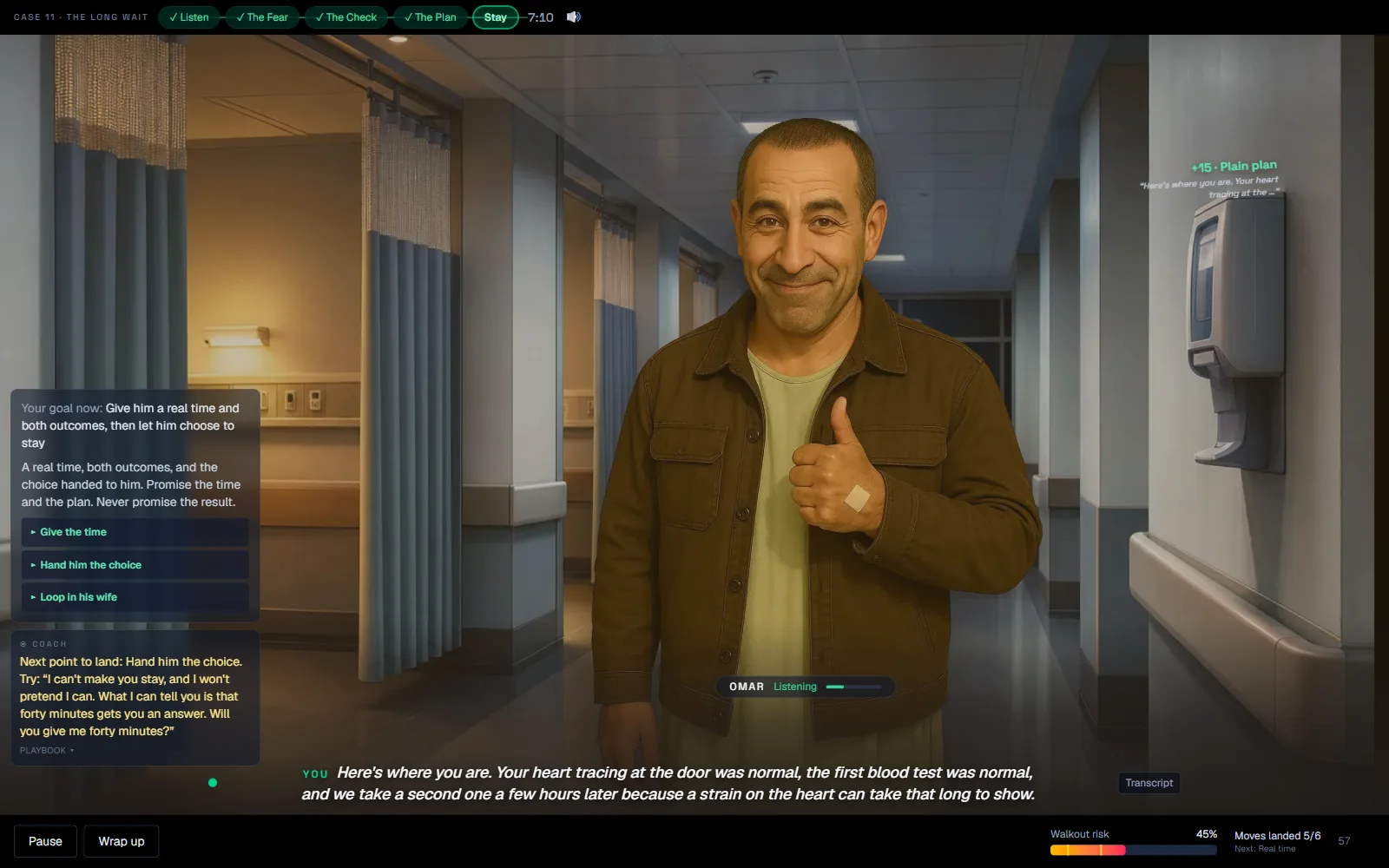 Live demoAI voice simulator
Emergency department communication
Live AI voice roleplay
Omar has spent five hours on a corridor chair with chest pain, nobody has told him anything, and his jacket is already on. Get him back in the chair without promising a result you do not have.
A live scenario in Counterpart, our AI conversation simulator. You speak out loud, an AI patient answers in his own voice, and a coach scores every line you say.
You are the registrar on a Tuesday night. Omar has spent five hours on a corridor chair with chest pain, nobody has told him anything, and his jacket is already on. You have about eight minutes to get him back in that chair without promising a result you do not have, and a walkout risk meter moves with every line.
The check before the comfort. Reassurance only counts once you have actually checked, so ‘it’s probably nothing’ scores against you even when it calms him down. The debrief reads back every place you reassured before you checked, which is feedback most staff never get on their own conversations. The scenario is fictional and built for communication practice, so your own observation and escalation policies always apply.
Emergency department doctors, nurses and patient-facing teams.
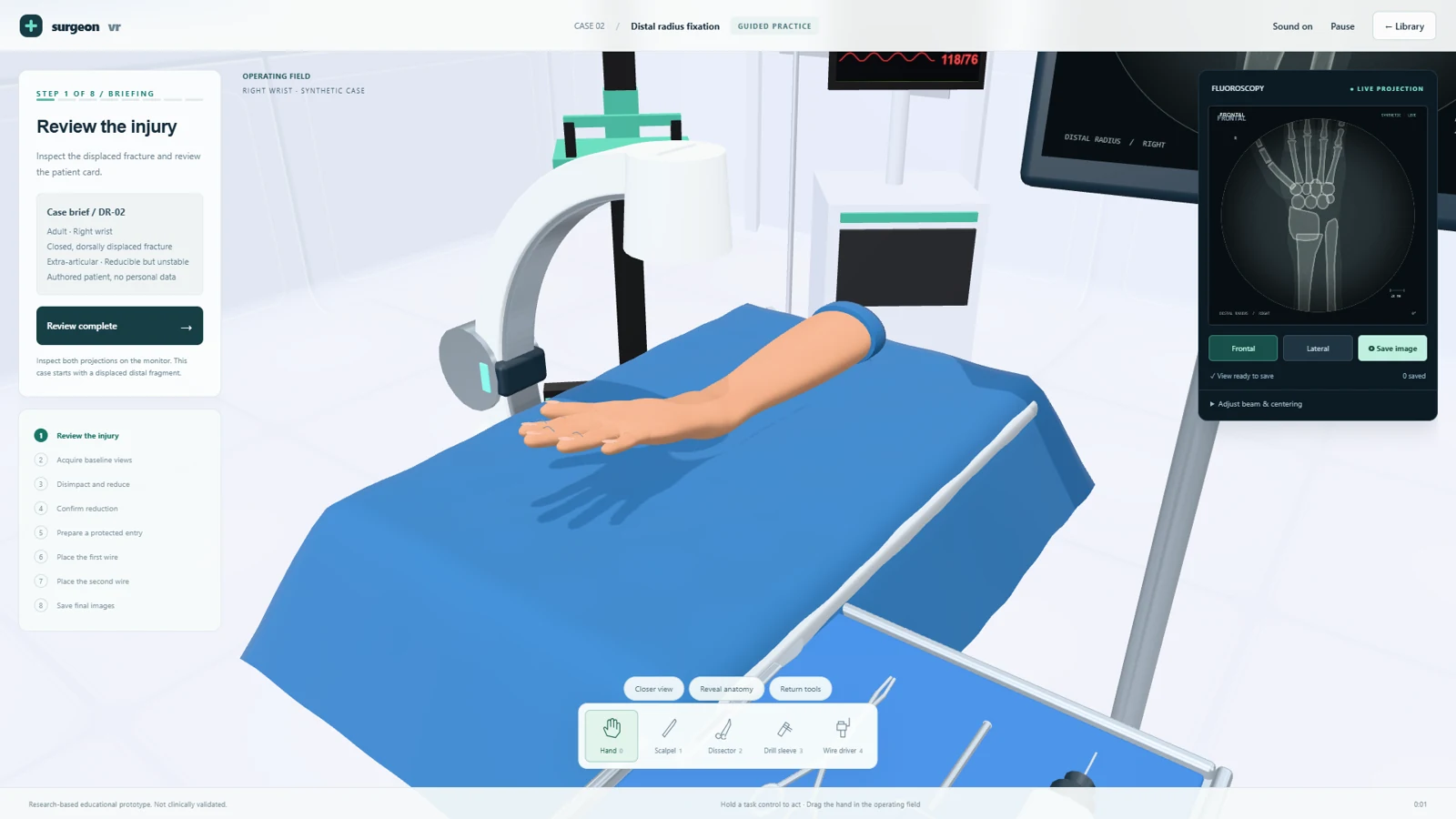 Live demoPlays in VR
Surgical education
Guided 3D / VR procedural practice
Work through a surgical case with guidance, then repeat it in assessment mode with the prompts taken away.
Our Surgeon VR prototype. It runs in a normal browser on a desktop screen, and in VR through the browser on a Meta Quest headset, with nothing to install.
Three cases: a robotic-assisted knee replacement, a wrist fracture pinned under simulated X-ray, and an emergency airway. Guided mode shows each step and blocks unsafe moves; assessment mode takes the prompts away and resets the attempt when a step goes wrong. In the headset the tools work by contact, so a scalpel cuts as you draw it along the skin.
Sequence awareness and the visual checks between steps, repeated as often as a resident likes without booking a lab or opening a kit, with an educator reviewing the saved images from each attempt. It is a development prototype built on synthetic anatomy, so clinical validation is still ahead.
Surgical residents and the educators who run skills labs.
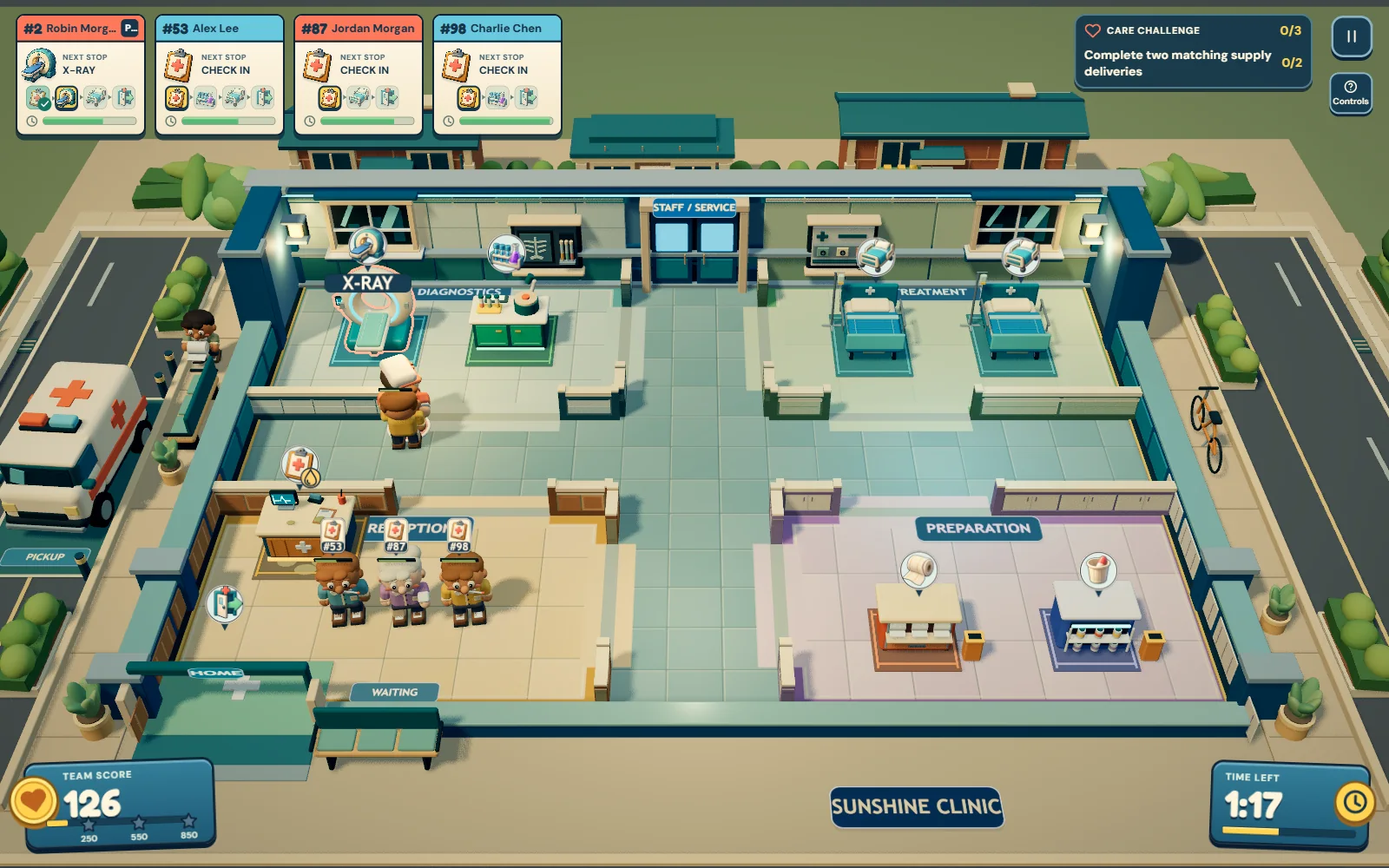 Live demo
Ward teamwork & infection prevention
Co-operative clinic sim, 1–4 players
Two patients came in with the same sprain, and only one of their tickets sends them to the X-ray first.
A co-operative clinic game for one to four people on one screen, in a browser. Share a keyboard or plug in controllers.
Every patient arrives with their own ticket, and that ticket is the only thing that tells you where they go, so two people with the same sprain can need different stations. You escort them, prepare the supply their bed asks for, send them home, then clean the station before the next patient uses it. Three shifts raise the difficulty from individual care plans, to equipment the crew has to share, to a night ward where you have to notice a resident has changed and report it.
The habits that slip when a ward gets busy: matching the person to the care rather than to the bed, cleaning your hands at the moments that matter, and leaving a surface wet long enough to work. When one comes up the clock stops and a short card explains it with its source named, from the WHO, CDC, EPA, AHRQ and NICE. It gets a team laughing and arguing about infection control, which is not something most training earns, and the recap names one thing to try next shift. The game is clear that it records play actions rather than clinical competence.
Nursing, portering and ward support teams, and orientation or student groups.
 Live demo
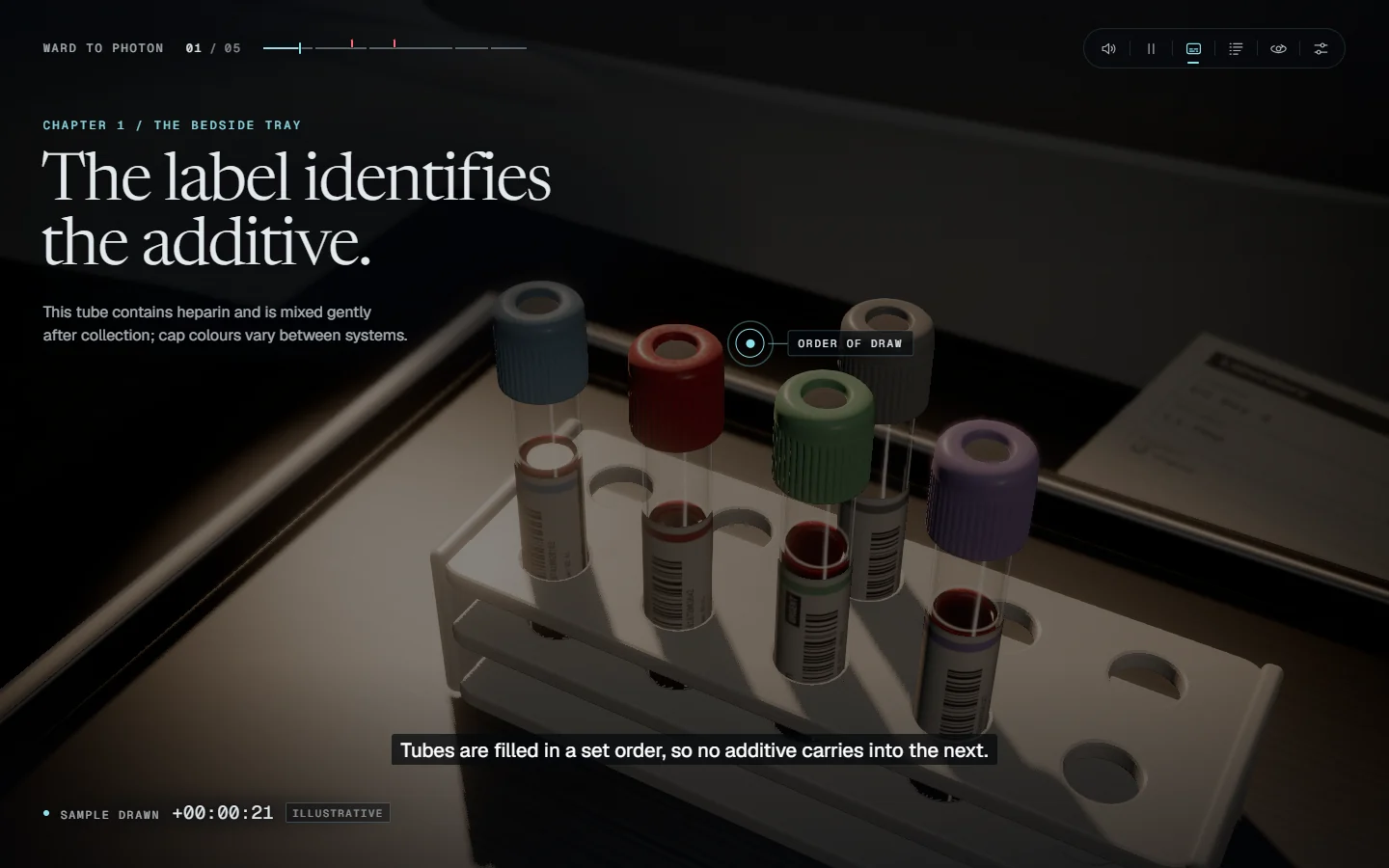
Laboratory learning
Interactive 3D film
Follow one blood sample from the bedside to the light signal behind a laboratory result, taking part in the process as it unfolds.
Move the sample through the hospital, spin it in the centrifuge and take control of the reaction inside the analyzer. Pause to inspect a scene or follow a branch where a damaged sample or an equipment fault changes the journey.
Connect the work people can see to the process inside the instrument. The film makes each stage available to explore, so a learner can revisit the part they did not understand instead of restarting a video. The patient and result are illustrative; this is an explanation of a laboratory journey, not a diagnostic guide.
Laboratory onboarding, science education and teams explaining a technical process to people outside their speciality.
 Live demo
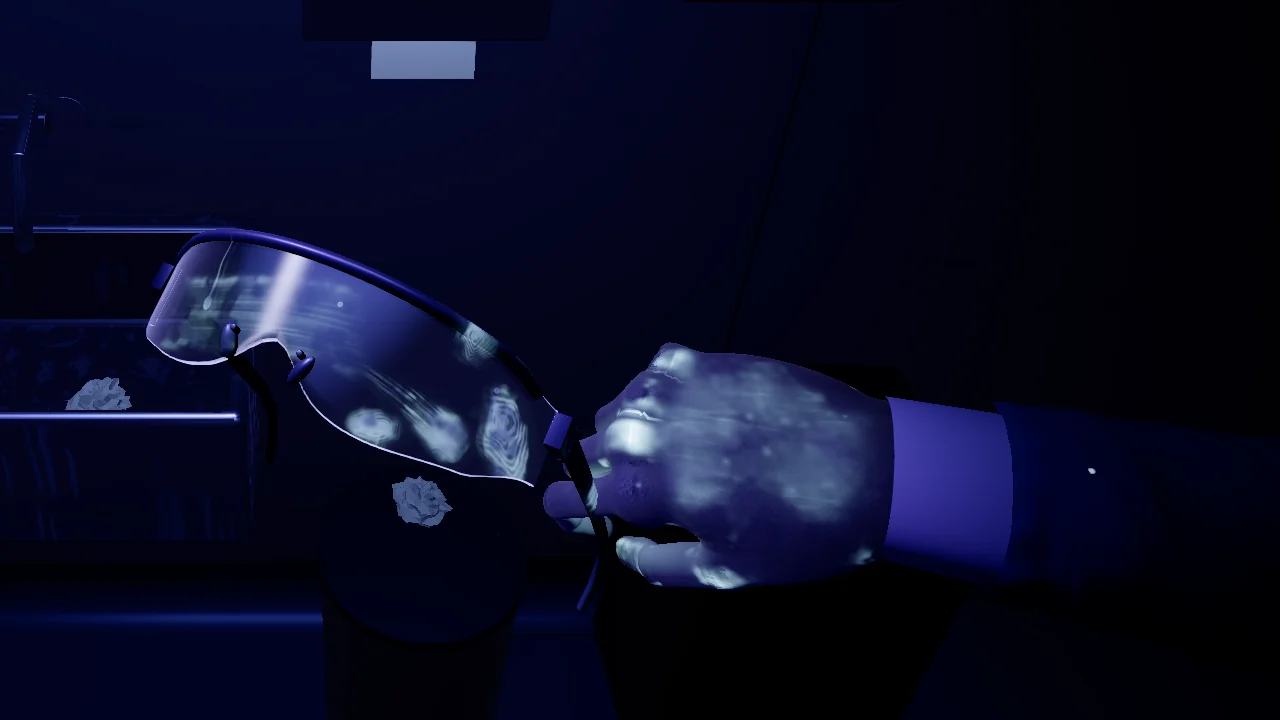
Laboratory safety
First-person safety simulation
Work through a laboratory task, then use a UV torch to see what your gloves carried into the rest of the room.
Walk between workstations and choose actions on the objects in front of you. Check the gloves or take a shortcut, clean the vial, and decide what to touch before changing your outer gloves. The UV reveal shows where contamination travelled and lets you trace each mark back to a decision.
A mistake can leave the workspace looking clean while contamination has already moved onto shared equipment. Play a careful route, then try the shortcuts and compare the result. The decision record distinguishes a perfect run from one with missed checks. This is a fictional training scenario; real work follows your site's approved procedures.
Laboratory and manufacturing teams practising contamination awareness, with trainers reviewing the choices behind each result.
 Prototype
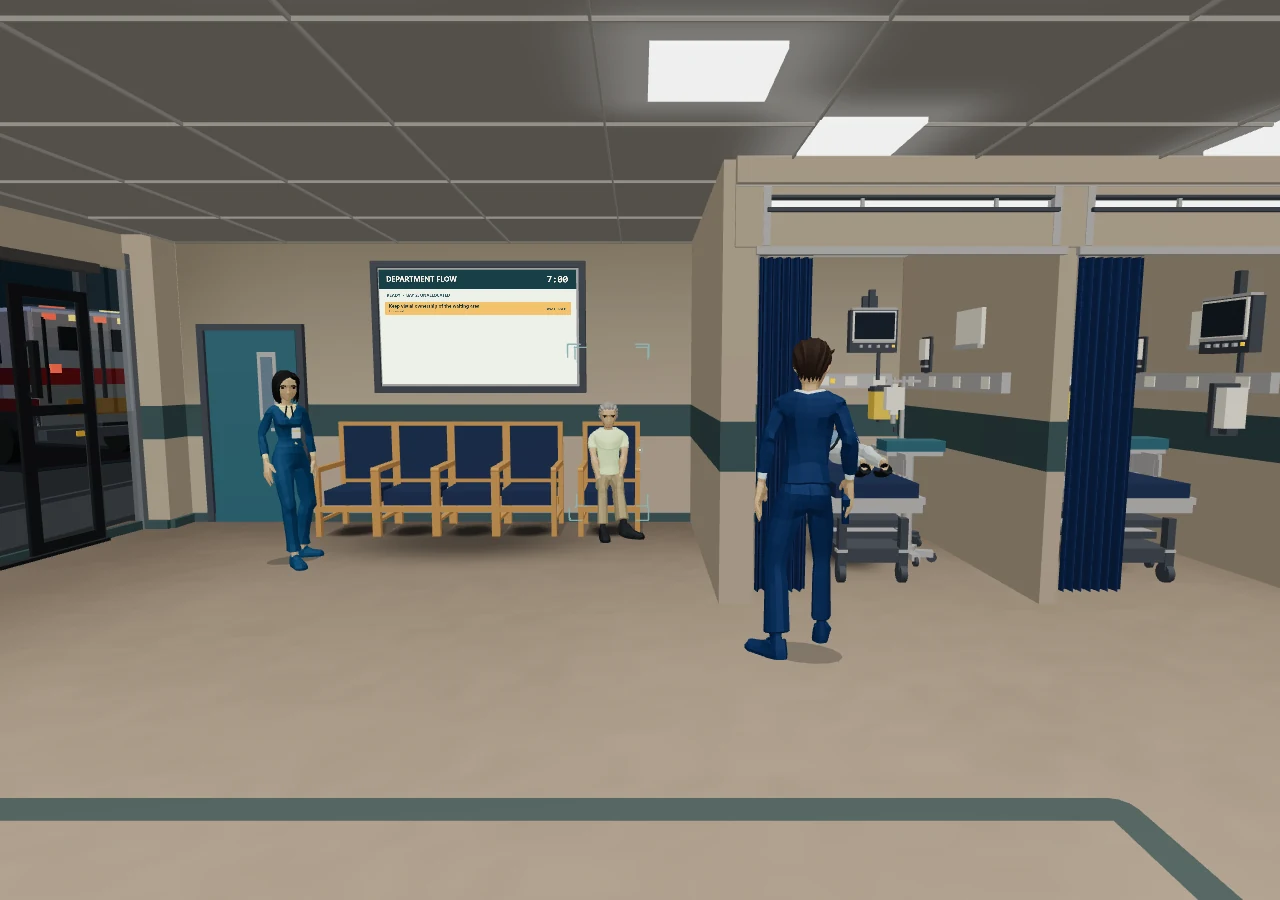
Emergency department teamwork
Cooperative 3D shift simulation
A busy emergency department, several competing tasks and a patient whose change is easy to miss.
Demo link coming soon
Work through a short shift with four staff roles. Notice changes at the bedside, assign tasks and confirm that a teammate has picked them up while new arrivals compete for attention.
Clear task ownership and timely escalation. Replay the shift and use the debrief to see where the team’s shared picture broke down.
 Game concept
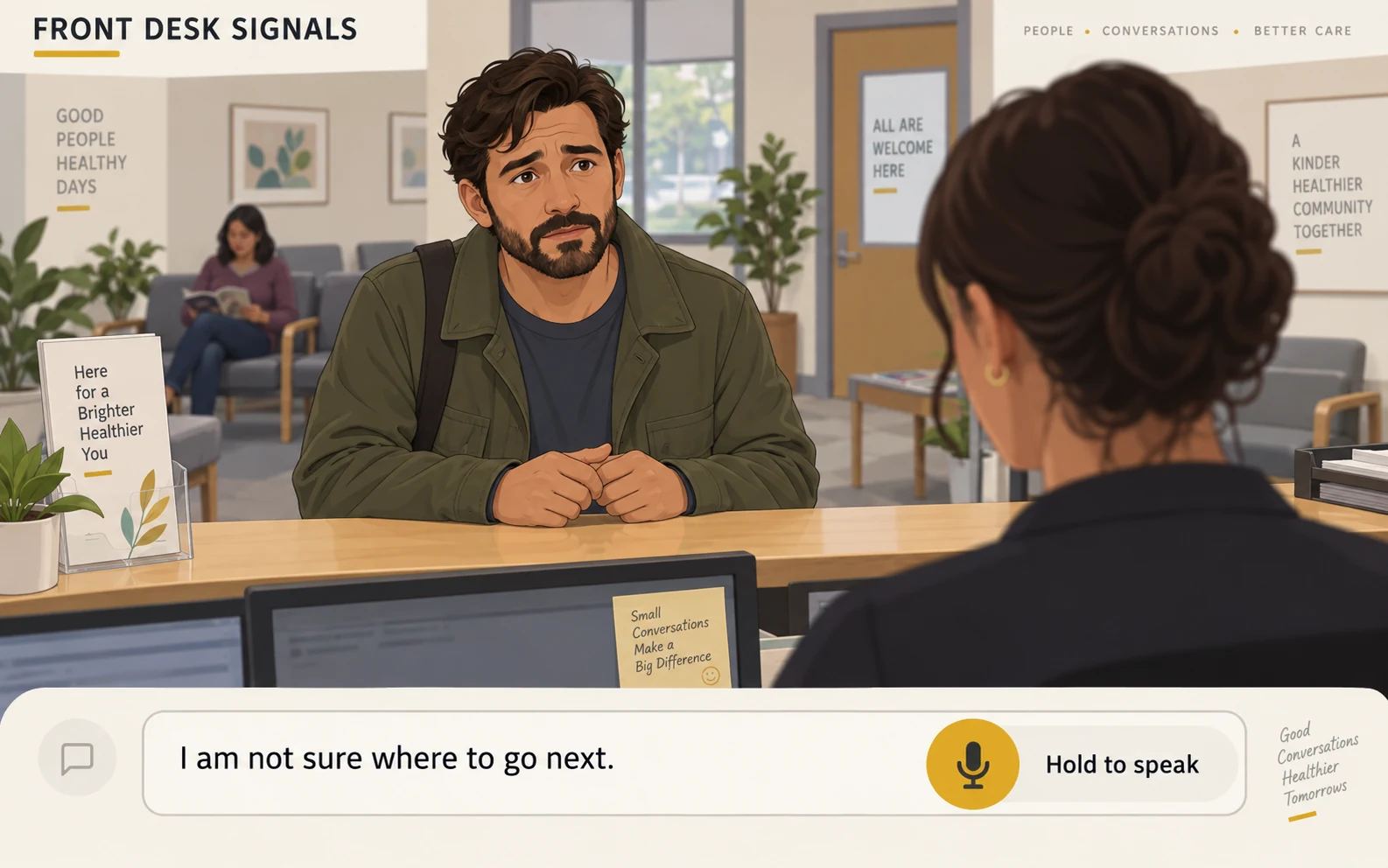
Patient access & experience
AI conversation roleplay
An anxious visitor needs help. What you ask next determines whether they understand the next step.
Speak freely with an AI visitor who responds to your questions. Clarify their concern, ask about communication needs and explain the next step within the receptionist’s role.
Plain language and checking understanding. Feedback highlights assumptions, unanswered questions and when another team should take over.
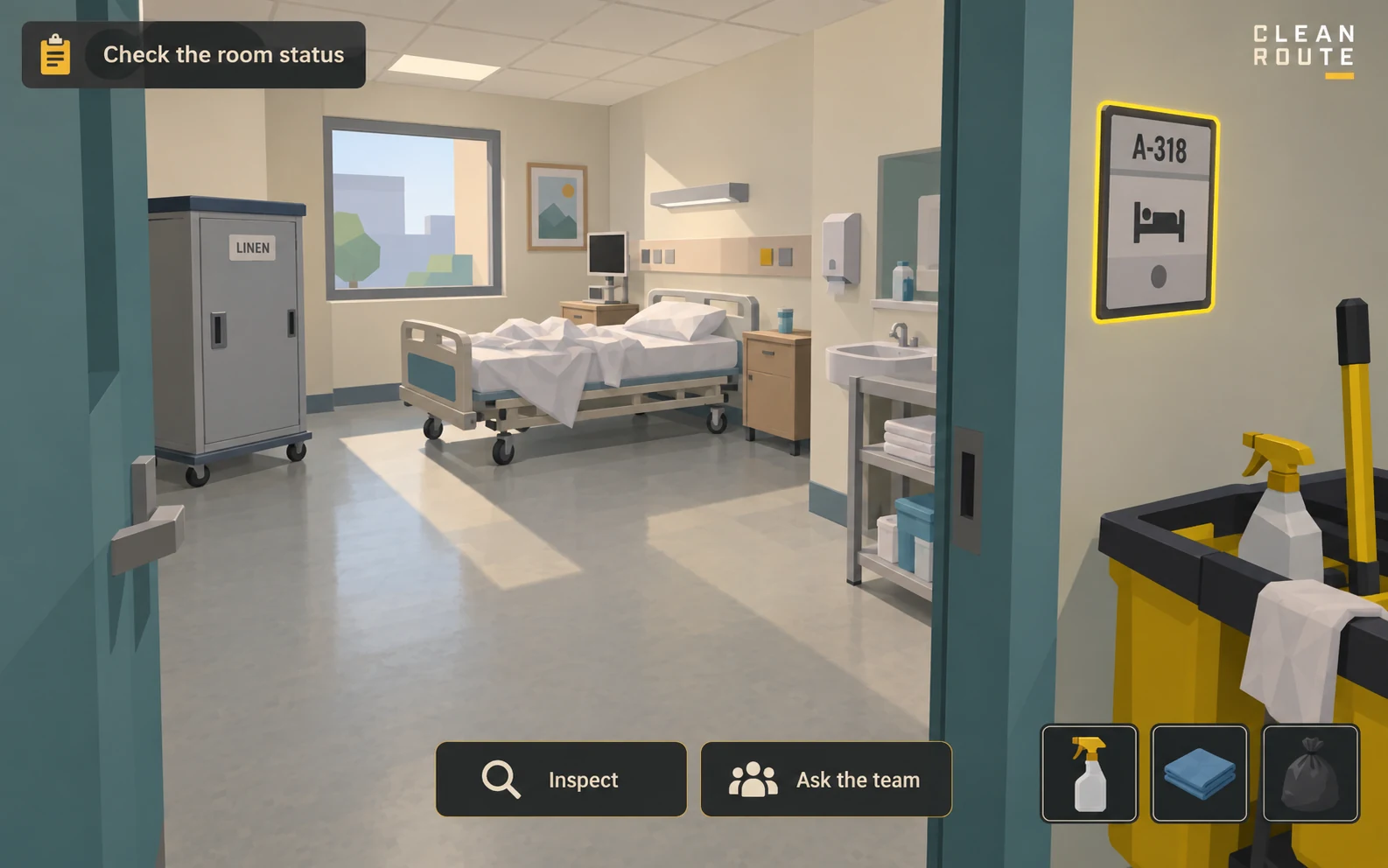 Game concept
Environmental services
First-person workflow exploration
A room is nearly ready, but a status check changes what you should do next.
Explore a simple ward space and inspect room status, equipment and clean or used items. Follow the locally approved workflow and ask the responsible team when information conflicts.
Recognising a missed handoff before moving on. The debrief connects each choice to your organisation’s room-turnover procedure.
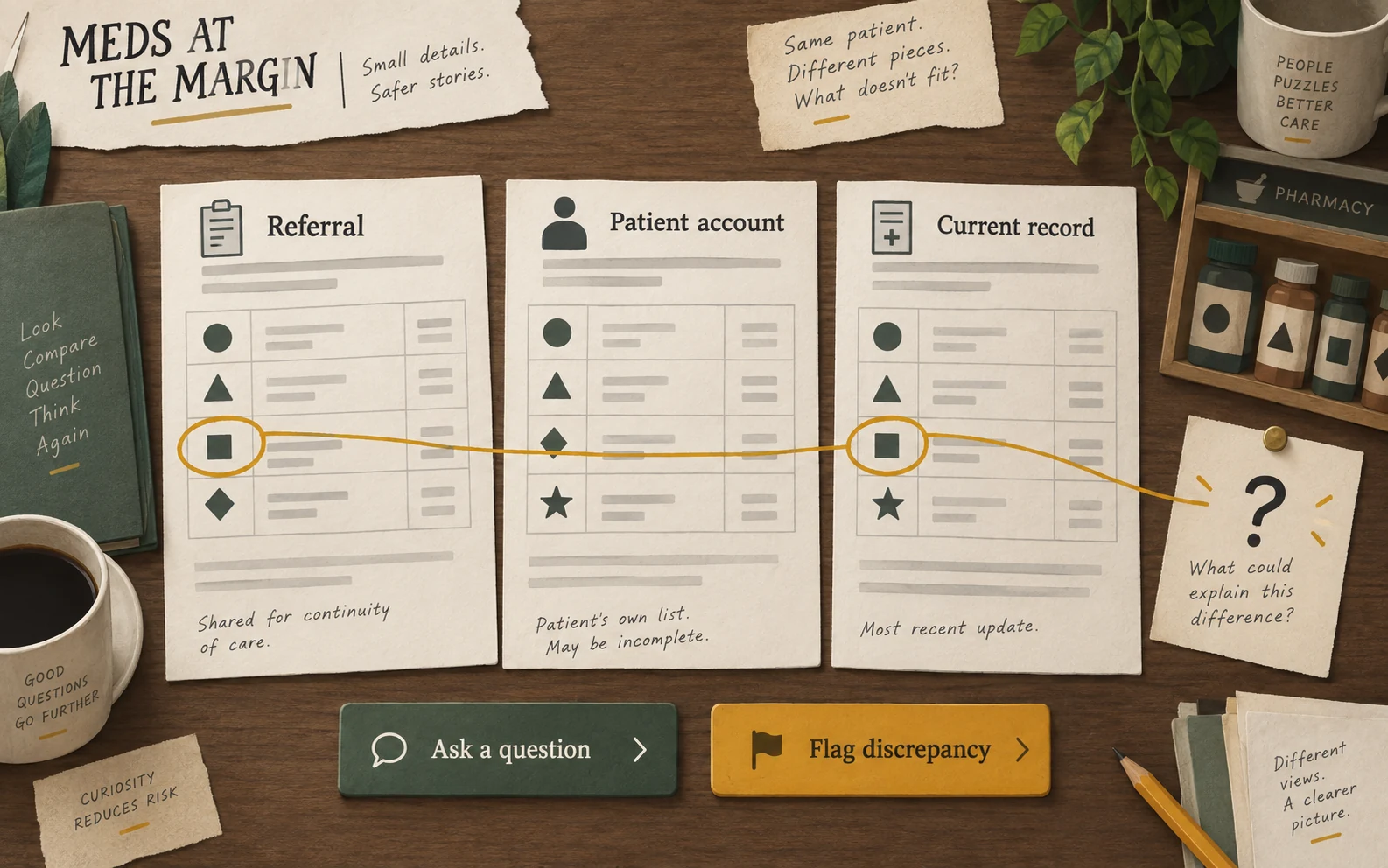 Game concept
Pharmacy & transitions of care
Document and evidence puzzle
The referral, patient account and current record do not quite match. Find the question that resolves the gap.
Compare fictional records, connect conflicting details and choose what to verify with the patient or responsible professional before handing the information onward.
Separate confirmed information from assumptions. Practise documenting discrepancies and escalating them without guessing at a medicine or dose.
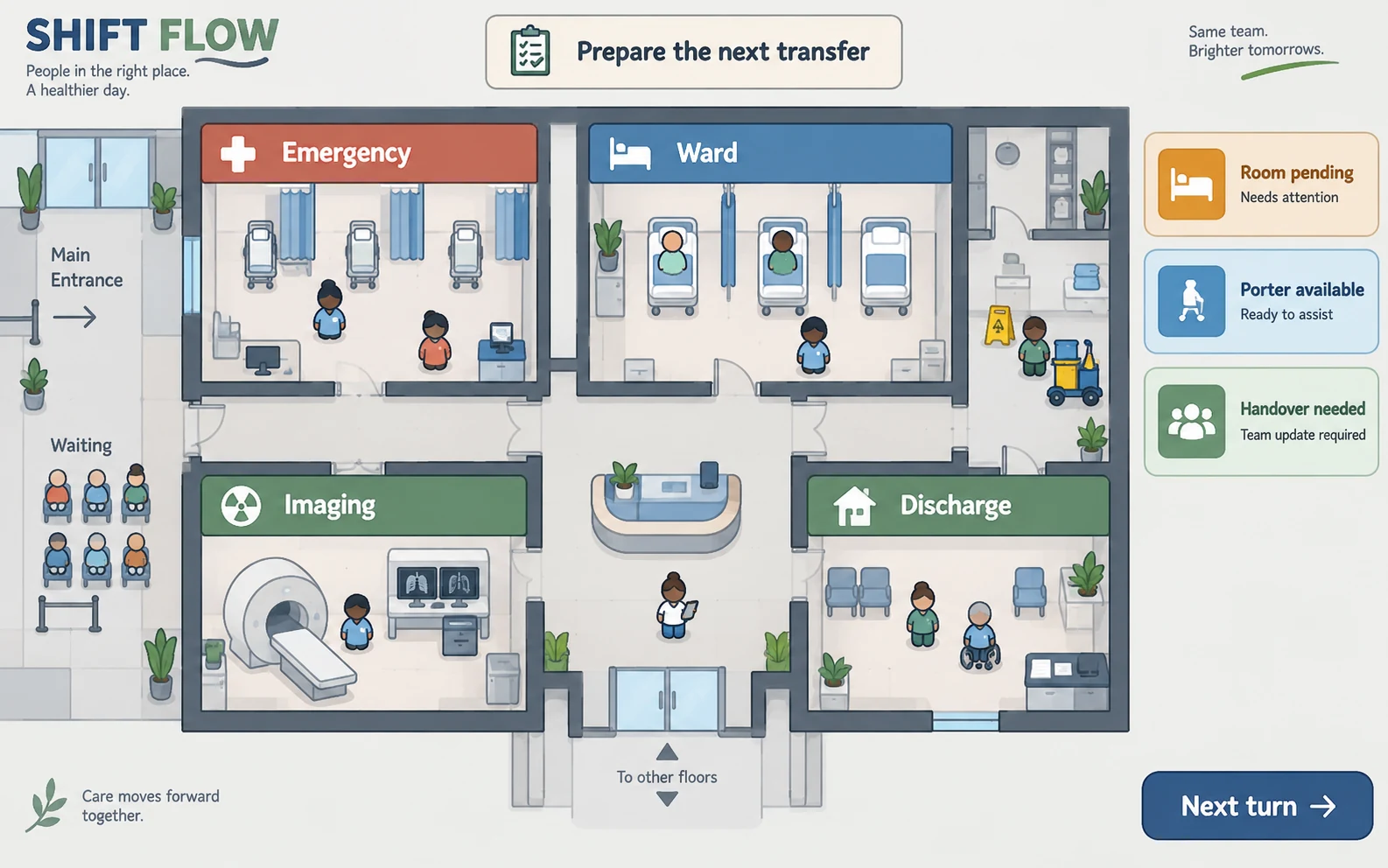 Game concept
Hospital operations
Turn-based resource strategy
A transfer is waiting on a room, a porter and a handover. Changing one priority affects the rest of the floor.
Move staff and task tokens across a hospital board as new constraints arrive. Check what is ready, agree the next owner and explain the trade-off before advancing the turn.
See dependencies across departments and communicate an achievable next step. A fictional coordination exercise, not a live staffing tool.
Start with one role and one recurring situation. Agree what useful practice looks like before expanding the programme.
Start with anonymised situations and the handoffs your teams recognise. Agree each role’s permissions with the clinical or operational owner.
Use short browser scenarios for repeat practice or a shared exercise with an educator. Choose immersive delivery where spatial practice adds value.
Review what the learner noticed, what they asked and whether someone accepted the next task. Keep the debrief focused on the decision that mattered.
Your subject experts review the scenario and feedback. These prototypes are practice tools; they do not certify clinical competence or replace supervised training.
Choose the format with your training team. We design the session around the learner, the setting and the devices they use.
Give learners repeat access to short scenarios between teaching sessions. Scope reporting with your education team.
Build phone-friendly conversations or decision exercises for onboarding and refresher learning.
Let educators pause at a handover, compare choices and connect the debrief to the local care pathway.
Use immersive scenes for spatial orientation and procedural rehearsal, with content reviewed by your clinical experts.
Language, accessibility and reporting needs are agreed before the build.
Start with one situation. Build it with the people who know the work, then test it with the people who do it.
Choose the learner and a recurring decision. Agree what useful practice should show.
Map the choices and consequences with your subject experts. Set the learning focus.
Make a playable pilot. Test the feedback and controls with a small learner group.
Put it into the training session. Review learner choices and refine the next version.
Bring one situation from your service. We’ll work through how it could become a game and what your learners should take away.